Disclosure: As an Amazon Associate I earn from qualifying purchases. This post contains affiliate links.
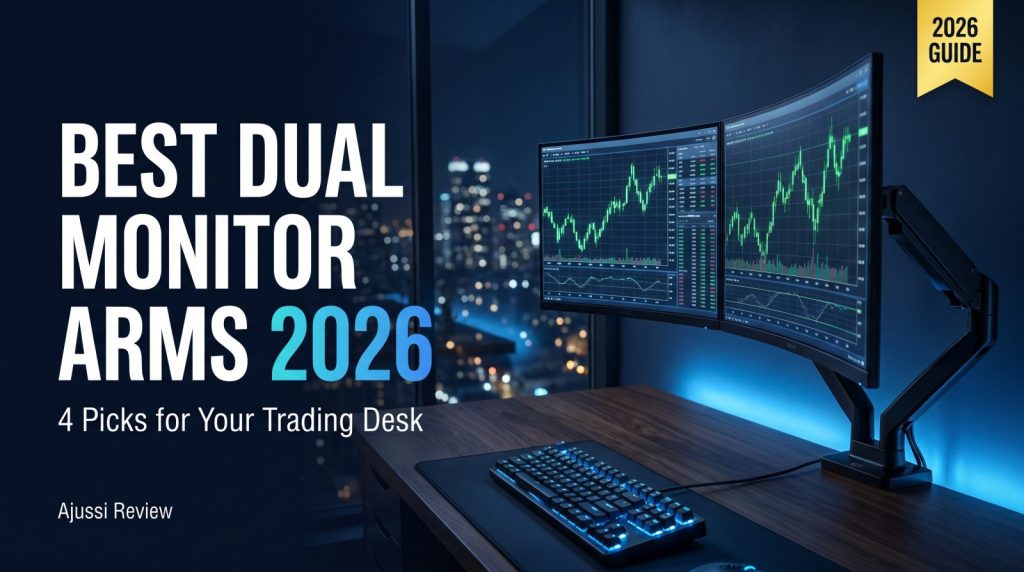
A good dual monitor arm is the cheapest upgrade on a trading desk that actually changes how your body feels at hour six. You spent real money on the screens — then parked them on factory stands that put the top bezel four inches below eye level and eat half the desk. Let’s fix that.
⚡ Ajussi’s Quick Picks — the best dual monitor arm for each situation:
Tightest budget: VIVO Dual Desk Mount · Gas spring on a budget: Amazon Basics Dual · Best overall value: HUANUO FlowLift · Buy-once-forever: Ergotron LX Dual
I’m Ajussi. In my trading monitor guide I said the monitor is the cheapest component of your trading stack — the arm holding it is cheaper still, and it decides whether that monitor sits where your neck wants it. As with all my gear guides, this is a specification-and-value comparison built on manufacturer specs and verified buyer ratings, not a hands-on review. Every pick below carries a 4.4-star rating or better from hundreds to thousands of buyers.
What Actually Matters in a Dual Monitor Arm
Weight and size ratings are hard limits. Check both numbers per arm, not per pair. A 27-inch 4K monitor typically weighs 10–15 pounds without its stand — comfortably inside every pick here — but a 32-inch or an ultrawide can push past what budget arms officially support.
Gas spring vs. fixed. Gas-spring arms float: grab the screen, move it, it stays. Fixed mounts hold a position you set with tools and mostly leave alone. Traders who reposition screens through the day want gas springs; if you set it once a year, a fixed mount is honestly the smarter spend.
VESA and desk compatibility. All four picks use standard 75×75/100×100mm VESA plates and include both a C-clamp and a grommet mount. If your monitor has no VESA holes (some slim designs), check for an adapter before buying any arm.
The 4 Best Dual Monitor Arms in 2026
| Arm | Type | Fits | Warranty | Best For |
|---|---|---|---|---|
| VIVO Dual Desk Mount | Fixed (articulating) | 13–30", 22 lbs/arm | 3 years | Set-and-forget budget desks |
| Amazon Basics Gas Spring Dual | Gas spring | 15–27" | 1 year | Cheapest floating adjustment |
| HUANUO FlowLift Dual | Gas spring | 13–32" | 5 years | Best value overall |
| Ergotron LX Dual | Premium mechanical | Up to 27", 7–20 lbs/arm | 10 years | Buy once, keep for a decade |
1. VIVO Dual Desk Mount — The Budget Workhorse
The VIVO is the arm half the internet’s home offices sit on, and the 4.6-star rating across more than 6,200 buyers says why: all-metal construction, 13-to-30-inch support at up to 22 pounds per arm, full tilt/swivel/rotate articulation, and a three-year warranty at a price that undercuts everything else here. The trade-off is that it’s not a gas-spring design — height changes mean loosening bolts, not floating the screen. For a trading desk where monitors get positioned once and stay put, that barely matters.
Why it wins: the most screen-holding per dollar in this lineup, with the biggest review base. Trade-off: tool-based adjustment; repositioning is a chore, not a gesture.
2. Amazon Basics Gas Spring Dual — Floating Screens, Minimal Spend
This is the cheapest way to get true gas-spring movement under two monitors: aluminum arms with adjustable tension that let you pull a 15-to-27-inch screen toward you for a chart deep-dive and push it back for order entry. Rated 4.4 stars by roughly 675 buyers. It’s the value pick for traders who actually move their screens around during the day but don’t want to pay HUANUO or Ergotron money.
Why it wins: gas-spring convenience at a fixed-mount price. Trade-off: 27-inch ceiling and a short warranty — this is the entry ticket, not the endgame.
3. HUANUO FlowLift Dual — The Value Sweet Spot
The FlowLift is what I’d put under most dual-screen trading setups: alloy-steel gas-spring arms covering 13 to 32 inches — big enough for the 32-inch and mid-size ultrawide screens budget arms exclude — with smooth one-hand repositioning, tidy integrated cable routing, and a five-year warranty. A 4.6-star average across nearly 4,000 ratings is remarkable consistency for a mid-priced arm.
Why it wins: 32-inch support, five-year coverage, and gas-spring movement at a mid-tier price. Trade-off: heavier ultrawides can exceed its comfort zone — check your monitor’s weight first.
4. Ergotron LX Dual — The Decade Desk Investment
Ergotron builds the arms you see in hospitals and trading floors, and the LX Dual is the consumer version of that reputation: polished mechanical action rated for 7-to-20-pound screens up to 27 inches, backed by a 10-year warranty — double to triple everything else here. Rated 4.5 stars. You pay roughly double the FlowLift for build quality you stop thinking about entirely.
Why it wins: the 10-year warranty and institutional build quality — this is the last arm you buy. Trade-off: premium price, and the 27-inch/20-pound rating means big ultrawides need Ergotron’s HX line instead.
Mounting Tips for a Trading Desk
Three practical notes before you drill anything. First, measure your desk lip — C-clamps need a few inches of clear overhang, and center drawers are the usual surprise. Second, set the top of each screen at or slightly below eye level; that single adjustment is most of the ergonomic benefit. Third, if you’re pairing an arm with new screens, my trading monitor guide covers which panels are worth mounting in the first place.
FAQ
Can a dual monitor arm hold one ultrawide instead of two screens?
Physically yes — you just use one arm — but check weight ratings carefully. A 34-inch ultrawide sits around 12–18 pounds, inside the FlowLift’s and Ergotron’s per-arm ratings, but a heavy 38-to-49-inch panel needs a single heavy-duty arm rather than one side of a dual mount.
Will a clamp mount damage my desk?
On solid wood or laminate, no — the included pads spread the load. Thin particleboard or glass desks are the exception; for those, use the grommet mount through a cable hole or add a reinforcement plate.
Is a gas spring arm worth the extra money?
Only if you actually reposition screens. Traders who pull a chart close during entries and push it back after will use the float daily. If your layout never changes, the VIVO’s fixed design does the same job for less.
Bottom Line
Fixed layout, tightest budget: the VIVO. Want floating screens for the least money: the Amazon Basics gas spring. Most traders, most desks: the HUANUO FlowLift. Never want to think about it again: the Ergotron LX. Whichever dual monitor arm you pick, your neck at 3pm on a red day will know the difference.
🎓 Age 18–24? Read (and ship) for less
Prime for Young Adults gives students and young adults fast free shipping, Prime Video, and member deals at a discounted rate — starting with a free trial. If you qualify, it can pay for itself on a single order.
Check your eligibility on Amazon →Disclosure: This article is for informational purposes only and is not purchase or financial advice. As an Amazon Associate I earn from qualifying purchases. Specifications are drawn from manufacturer listings as of July 2026 and may change; always confirm current specs and pricing on the product page.
👉 Related: Best Investing Books for the AI Era — What to read at that desk