Disclosure: As an Amazon Associate I earn from qualifying purchases. This post contains affiliate links.
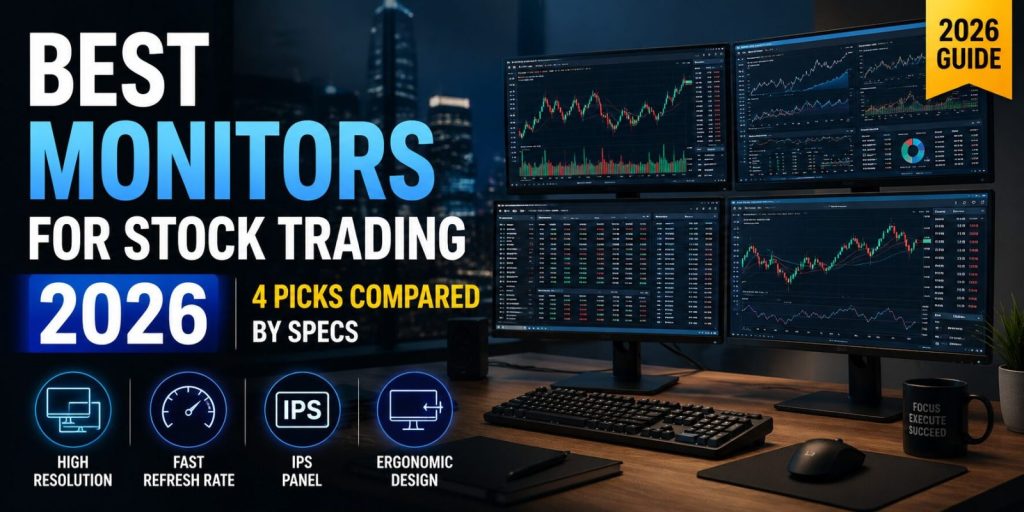
The best monitors for stock trading are not the ones with the flashiest gaming specs — it is the one that lets you read a full options chain without zooming, keeps your eyes comfortable through a six-hour session, and doesn’t fight you when you bolt three of them to an arm.
⚡ Ajussi’s Quick Picks — the best monitors for stock trading if you only have 30 seconds:
First trading monitor: Dell 27 Plus 4K · Laptop traders: LG 27UP850K-W · One screen instead of two: LG 34″ UltraWide · Full-time desk: ASUS ProArt PA279CRV
I’m Ajussi. I’ve spent more hours than I’d like to admit staring at candlestick charts, and I’ve written extensively about the semiconductor supply chain that makes these panels possible. For this guide I compared current spec sheets from Dell, LG, and ASUS — not marketing copy — and every pick below carries a verified 4.3-star rating or better from hundreds of real buyers. I have not used every unit hands-on; this is a specification-and-value analysis of monitors for stock trading to shortcut your research, not a touch-and-feel review.
What Actually Matters in a Trading Monitor
Pixel density beats refresh rate. A 27-inch 4K panel gives you 163 pixels per inch — enough to render a dense options chain or Level 2 quotes without scaling artifacts. Charts update at data speed, not GPU speed, so a 60Hz panel is perfectly usable for trading; higher refresh is a comfort bonus, not a requirement.
Eye comfort is a position-sizing tool. Flicker-free backlights, decent brightness (350 nits or more), and matte coatings matter more at hour five than any spec-sheet number. Tired eyes make sloppy trades.
Connectivity decides your desk. If you run a laptop, USB-C with Power Delivery removes a charger from your desk. If you run three screens off a desktop, count your DisplayPort and HDMI outputs before you buy anything.
The 4 Best Monitors for Stock Trading in 2026
| Monitor | Panel | Resolution | Refresh | USB-C PD | Best For |
|---|---|---|---|---|---|
| Dell 27 Plus 4K (S2725QS) | 27" IPS | 3840×2160 | 120Hz | — | First trading monitor |
| LG UltraFine 27UP850K-W | 27" IPS | 3840×2160 | 60Hz | 90W | Laptop-based traders |
| LG UltraWide 34WR55QK-B | 34" VA curved | 3440×1440 | 100Hz | 65W | One-screen consolidation |
| ASUS ProArt PA279CRV | 27" IPS | 3840×2160 | 60Hz | 96W | Long sessions, color work |
1. Dell 27 Plus 4K (S2725QS) — The Entry Point
Dell’s S2725QS pairs a 27-inch 4K IPS panel with a 120Hz refresh rate — a combination that used to cost twice as much. You get 99% sRGB coverage, 350 nits, a 1500:1 contrast ratio, two HDMI 2.1 ports plus DisplayPort 1.4, and built-in speakers. Response time drops as low as 4ms gray-to-gray in Extreme mode. There is no USB-C on this model — that is the trade-off that keeps it affordable. For a desktop-based trader buying a first dedicated chart screen, or adding a second panel to an existing setup, this is the rational starting point. Rated 4.4 stars by over 850 buyers.
Why it wins: 4K sharpness and 120Hz smoothness at an entry price — the best spec-per-dollar ratio in this lineup. Trade-off: no USB-C, so laptop users need a separate charger.
2. LG UltraFine 27UP850K-W — The Laptop Trader’s Pick
Same 27-inch 4K real estate, but LG’s angle is the single-cable desk: USB-C delivers 90W of power while carrying the display signal, so a MacBook or ultrabook charges through the monitor. You also get VESA DisplayHDR 400 (400 nits) and 95% DCI-P3 coverage per LG’s official product page, a pivot-capable stand for a vertical news-feed orientation, and a two-port USB hub. The panel runs at 60Hz — as covered above, that is a non-issue for charts. If your trading station is a laptop that leaves the desk at market close, this is the pick. Rated 4.5 stars by roughly 760 buyers.
Why it wins: one USB-C cable runs your laptop, its charger, and the display — the cleanest desk of the group. Trade-off: a 60Hz panel; a non-issue for charts, but not a gaming screen.
3. LG UltraWide 34WR55QK-B — Two Screens in One
A 34-inch 3440×1440 curved ultrawide replaces a dual-monitor setup with a single 21:9 canvas: main chart center, watchlist and order entry on the flanks, no bezel down the middle. This one runs at 100Hz with HDR10 support, USB-C with 65W Power Delivery, and Picture-by-Picture mode that can split the screen between two inputs — useful if you run a trading PC and a laptop side by side. Honest caveat: it is a VA panel, so text edges are a touch softer than the IPS panels here, and 1440p vertical resolution shows fewer chart rows than 4K. In exchange you get immersion and desk simplicity. Rated 4.6 stars — the highest in this lineup.
Why it wins: one 34-inch canvas genuinely replaces a dual-monitor setup, with no bezel cutting through your main chart. Trade-off: VA text rendering is slightly softer than IPS, and 1440p shows fewer chart rows than 4K.
4. ASUS ProArt PA279CRV — The Endurance Pick
The ProArt is built for people who stare at screens professionally. Factory calibrated to Delta E < 2 and Calman Verified, with 99% DCI-P3 and 99% Adobe RGB coverage, DisplayHDR 400, and a 96W USB-C port (full details on ASUS’s official spec sheet). The spec that matters for traders is the daisy-chain DisplayPort output: you can run a second monitor through the first from a single laptop port — the cleanest possible three-screen laptop setup. Add an ergonomic stand and a three-year warranty, and this is the buy-once option for full-time traders. Rated 4.3 stars by over 1,200 buyers.
Why it wins: factory calibration, daisy-chain DisplayPort, and a three-year warranty — built for eight-hour screen days. Trade-off: you pay for color accuracy that casual traders won’t fully use.
Building the Multi-Monitor Setup
Most traders who run multiple monitors for stock trading settle on three screens with defined roles: execution chart center, indicators and scanner left, news and positions right. Two practical notes from the hardware side. First, check your GPU or laptop dock outputs before buying panel number three — integrated graphics often cap at two external displays. Second, skip the factory stands and put everything on an arm: a dual arm like the HUANUO adjustable dual monitor arm (4.6 stars, nearly 4,000 ratings) reclaims the desk space and lets you set the exact height that keeps your neck neutral at hour six. I’ve since compared four arms side by side in my dual monitor arm guide if you want the full breakdown.
FAQ
Is a curved or flat monitor better for trading?
Flat is the default for multi-monitor walls — bezels align cleanly and chart lines stay geometrically true. A curved ultrawide makes sense specifically when you want one panel to do the work of two, like the 34WR55QK-B above.
How many monitors do I actually need?
Start with one good 4K panel. A 163ppi 27-inch screen holds four readable chart quadrants — that is genuinely enough for swing trading. Add screens when a specific workflow demands dedicated space, not because trading-desk photos on the internet have six.
Do I need 4K, or is QHD enough?
Among monitors for stock trading, a 27-inch 4K panel is noticeably easier on the eyes than QHD at the same size for dense data — options chains, Level 2, multi-pane layouts. QHD remains fine at 24 inches or on secondary screens where you park a news feed.
Bottom Line
Desktop trader on a budget: the Dell S2725QS. Laptop-based: the LG 27UP850K-W and its 90W USB-C. Want one screen instead of two: the LG 34-inch UltraWide. Full-time at the desk: the ASUS ProArt PA279CRV. Whichever of these monitors for stock trading you pick, the screen is the cheapest component of your trading stack — your attention is the expensive one. Buy the screen that protects it.
For the research tools I check every morning, see my 60 essential investor sites hub.
🎓 Age 18–24? Read (and ship) for less
Prime for Young Adults gives students and young adults fast free shipping, Prime Video, and member deals at a discounted rate — starting with a free trial. If you qualify, it can pay for itself on a single order.
Check your eligibility on Amazon →Disclosure: This article is for informational purposes only and is not financial or purchase advice. As an Amazon Associate I earn from qualifying purchases. Specifications are drawn from manufacturer spec sheets as of July 2026 and may change; always confirm current specs and pricing on the product page.
👉 Related: AI Stocks Brokerage: 5 Best Platforms for Beginners — Where to actually place the trades